
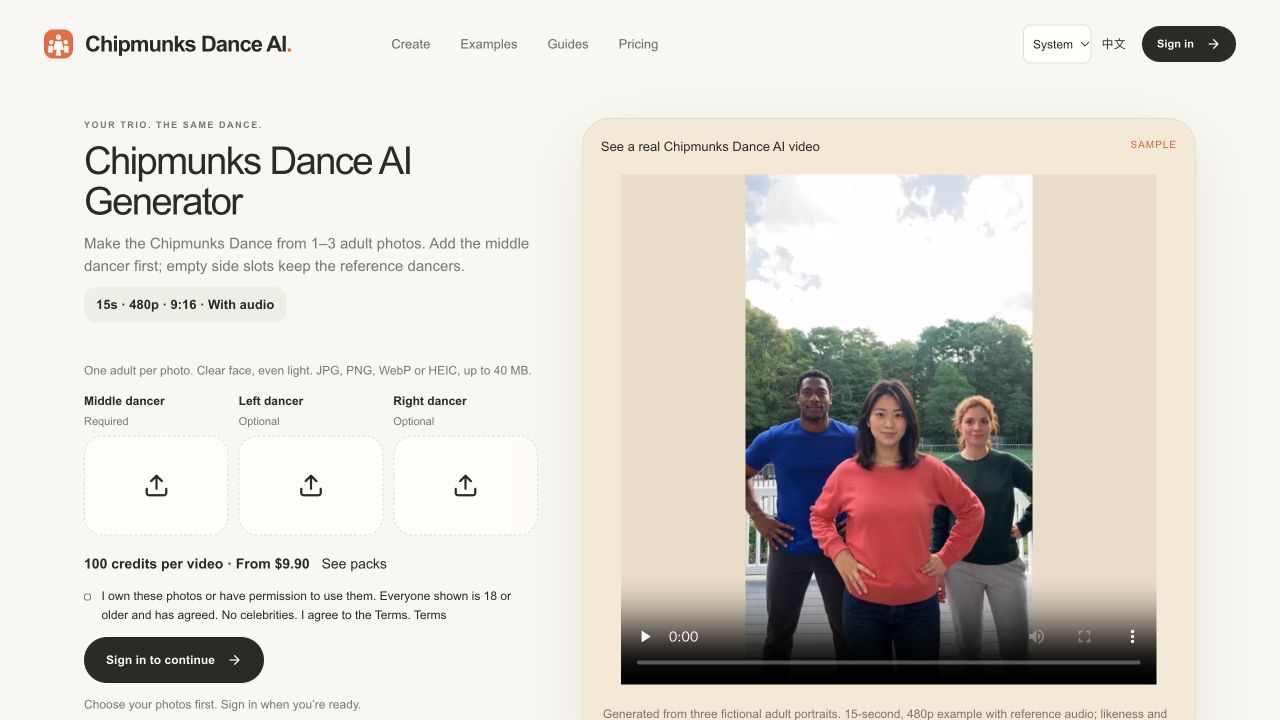
You do not need a chipmunks dance template inside a general video app, and you do not need all three people in the same room. A chipmunks dance generator on this site takes one to three photos and returns a vertical clip with reference audio of the routine. This guide is the whole path, including the parts that are easy to skip and then regret.
Before you upload
- One person per photo. A group photo in one slot mixes faces. We do not auto-crop trios.
- Face the camera. Side profiles and very dark rooms still upload, but the likeness slips.
- Adults only, and only people who agreed. No celebrities, no photos you do not have rights to.
- Hair, glasses, and clothes in the photo are what the model keeps. Hats that are not in the photo should not appear.
The middle slot is the person who starts one step ahead. That slot is required. Left and right can stay empty. An empty slot is not a blank hole. The dancer from the reference clip stays there. One, two, or three photos cost 100 credits per video. Start at the generator.
The three steps
- Add the photos. You can do this before you sign in. They stay in this browser through Google sign-in and checkout. If the middle slot is empty, the button says to add a photo first.
- Tick the consent box, then sign in. If you have no credits, the price cards open. $9.90 buys 1 video, $19.90 buys 3, and $29.90 buys 6. Credits do not expire.
- Wait for the photo check, then the render. Processing time varies; the account page shows the current task stage. You can leave and open My Videos. Download the MP4. It includes reference audio and has no watermark.
A confirmed technical failure releases reserved credits. Unknown supplier outcomes stay under review without a duplicate submission. If a completed result is unusable, contact support with its task ID; there is no automatic free redo. Photos are sent to the video provider for the face check and the render. Details are in the privacy policy.
Post it
The file is 9:16 and about 15 seconds, which is shorter than many of the original posts. That is intentional. In TikTok, add the trend sound from an existing chipmunks dance post. The song guide explains why a title search often misses it. Turn on the AI-generated label. You can use relevant tags such as #chipmunksdance when sharing a result from the generator.
If you want the longer story of the trend before you post, read what the chipmunks dance trend is. If the comments start assigning roles, the meme page is the short version of who is who. You can make another one for a different middle person without filming again.
Watch the real example before buying. Video generation is paid; there is no free registration credit or subscription. Choose your photos.
The steps at a glance
Pick one photo per person
Use a front-facing photo of one adult per slot. The middle slot is required. Left and right are optional.
Confirm you can use the photos
Tick the consent box only if you own the photos or have permission, everyone is 18 or older and agreed, and there are no celebrities.
Generate the dance video
Sign in, spend 100 credits, and wait for the 15-second 9:16 MP4. The download includes reference audio.
Post with the trend sound and an AI label
In TikTok, add the sped-up sound from a trend post and turn on the AI-generated label.